adbax
Part of how I build Android apps involves AI. When it needed to look at something on the running emulator, it would grab a screenshot, figure out a button's pixel position - and tap right beside it. That's why I made adbax: it reads the Accessibility API and hands back a short, numbered list of all buttons and labels and where they sit. Far more reliable than going by screenshots, and quicker too. Since it runs on the command line, I can just as easily use it myself, from a terminal or inside a script.
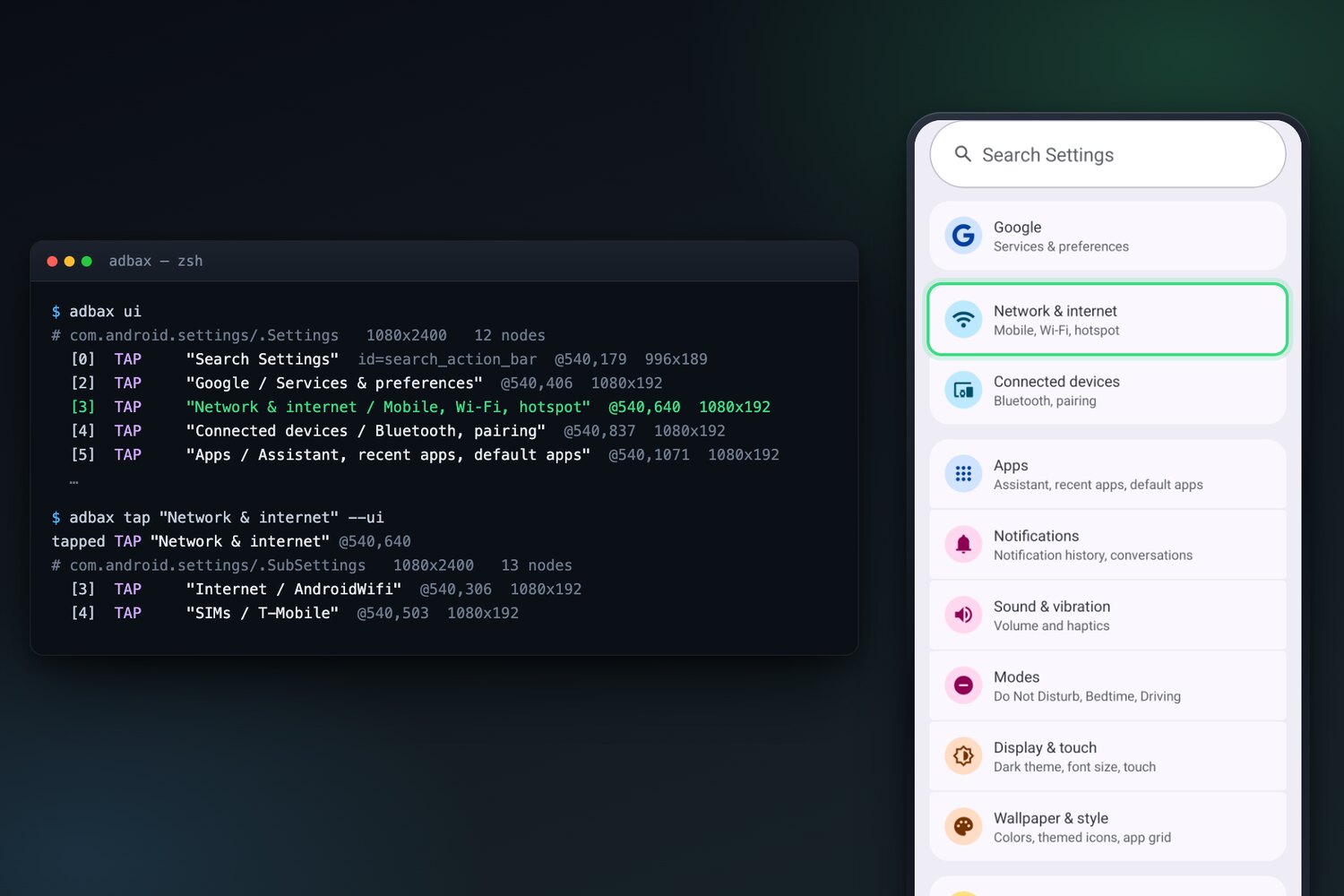
Most of the waiting was down to the tool Android itself provides for reading the screen. It began from zero on each call, then spent one more full second checking that the frames had stopped changing. adbax leaves a small helper on the phone that never disconnects, which brings a screen read down from 2 seconds to around 0.2.
It doesn't cover everything. Games are the usual exception: most of them paint each frame on their own and frequently expose no labels the Accessibility API could pick up. For those, adbax falls back to a screenshot with a coordinate grid on top.
- About 0.2 s per screen read, against 2 s with Android's own tool
- Tested on Android 8.1, 13 and 17
- No app on the phone, no dependencies on the computer
- Open source, Apache 2.0
Interested in something similar?