adbx
I also use AI when I build Android apps. Whenever the AI wanted to check something on the running Android emulator, it took a screenshot, worked out the pixel position of a button - and tapped next to it. So I built adbx as a tool for that: through the Accessibility API it returns a short numbered list of every button and label, with its position. That works a lot more reliably and faster than the screenshot approach. It's a command-line tool, so I can use it just as well myself, in a terminal or a script.
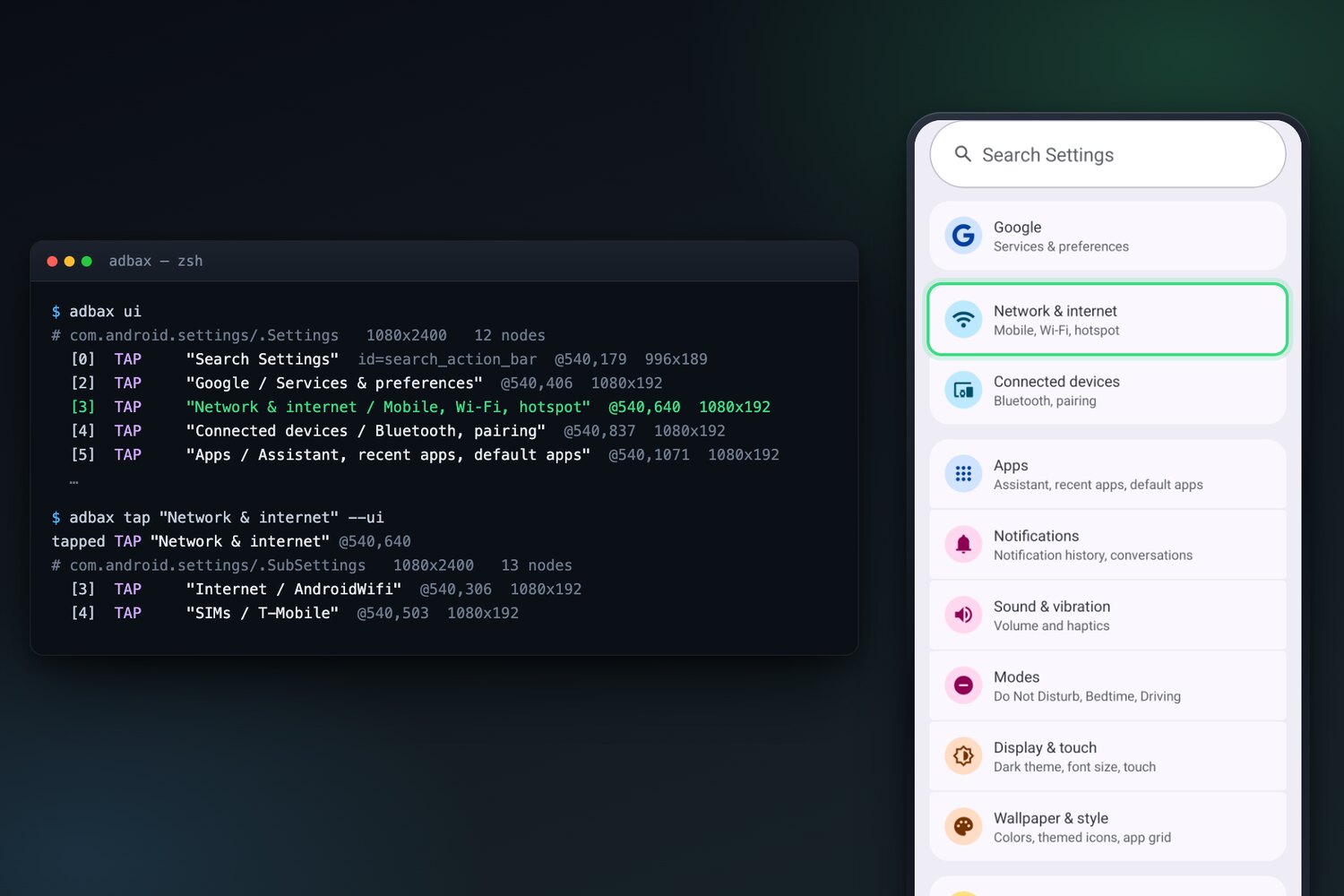
The slow part was mostly Android's own tool for reading the screen. Every call started it from scratch, and then it waited another full second to make sure the frames had stopped updating. adbx puts a small helper on the phone that stays connected the whole time, so reading the screen takes more like 0.2 seconds instead of 2.
The approach doesn't work everywhere. Most games, for example, draw every frame themselves and often have no labels the Accessibility API could read. As a fallback, adbx then takes a screenshot with a coordinate grid drawn over it.
- Reads the screen in about 0.2 s, where Android's own tool takes 2
- Tested on Android 8.1, 13 and 17
- Nothing to install on the phone, no dependencies on the computer
- Open source, Apache 2.0
Interested in something similar?